WebCAM CNC
CNC Software
Write Studio is the browser-based pen plotter design tool for artists and makers. Draw vectors, import SVG artwork, optimize stroke order and pen lifts, and export clean GRBL G-code — no install, no desktop app, no friction.
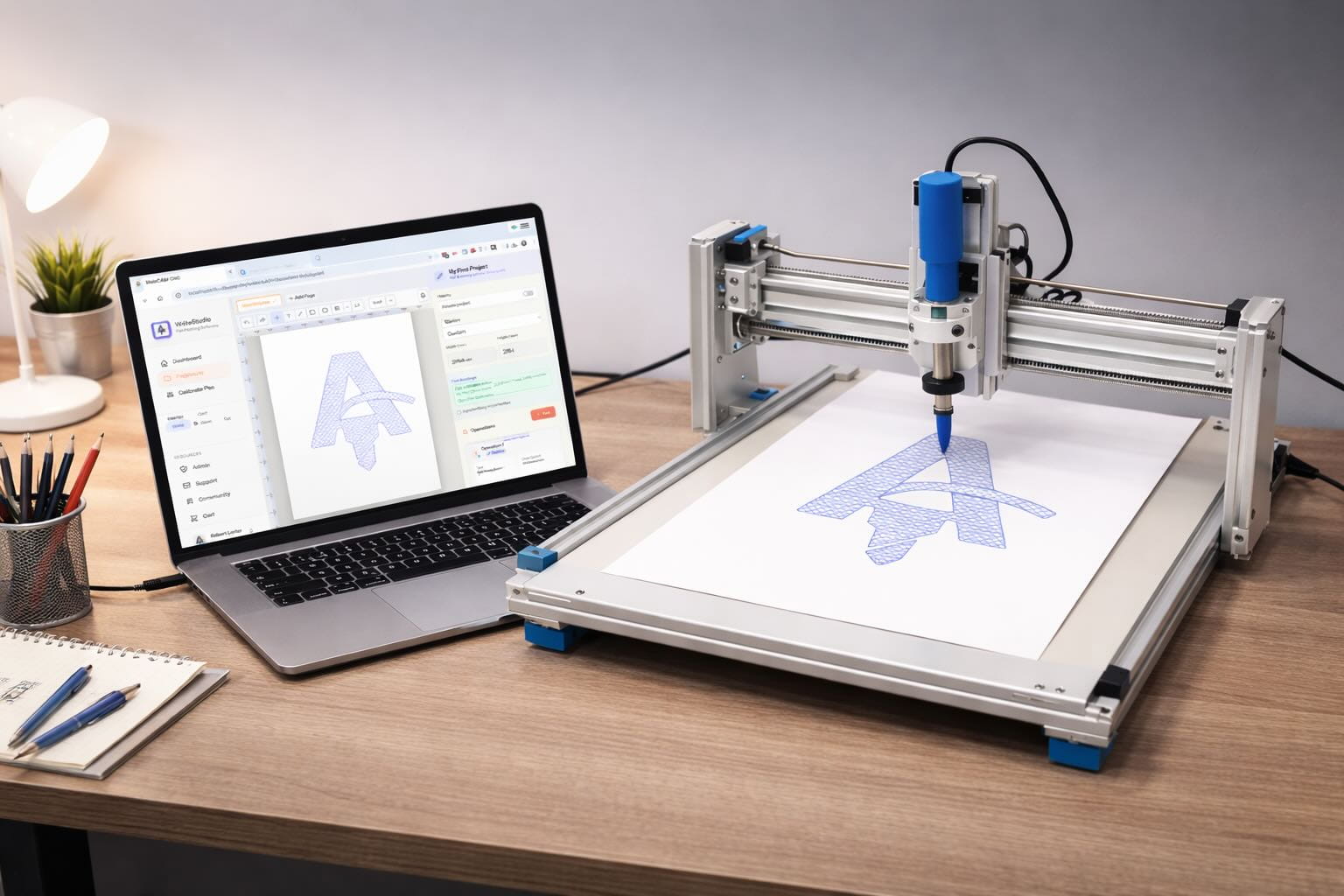
Works with the plotters you already own
Why Write Studio
Most pen plotter workflows mean juggling Inkscape extensions, manual path sorting, and a G-code sender that doesn't understand pen lifts. Write Studio collapses that into one fluid browser tool — designed by plotter users, for plotter users.
Shortest-path sort minimises pen travel so your plot finishes faster and uses less ink. Set a custom priority order or let Write Studio decide.
Fill any closed shape with parallel hatch lines, cross-hatch, or spiral fill. Set angle, spacing, and overlap per layer without leaving the browser.
Assign each layer a pen: black outline, colour fill, pencil sketch. Write Studio pauses and prompts for pen changes at exactly the right moment.
Drop any SVG or DXF file onto the canvas. Paths, groups, and colours map directly to layers so your artwork is plot-ready in seconds.
Convert any font to plottable outlines. Adjust letter spacing, line height, and stroke width — then output single-stroke calligraphy or filled letterforms.
Open a project on your laptop, tweak on your phone, share a link for approval. Your plotter studio follows you everywhere.
How it works
From blank canvas to a G-code file your plotter can run — in three steps. No post-processor, no dongle.
Draw vectors on the infinite canvas or drop in an SVG or DXF. Assign paths to layers and colour-code by pen.
Write Studio sorts strokes for minimum travel and adds pen-up/down at the right moments. Preview the full plot path before you export.
Download GRBL G-code and send it to your plotter with your favourite sender. Pause points for pen changes are baked in.
I used to dread the stroke-ordering step — it was always manual fiddling in Inkscape. Write Studio just does it, and the plot comes out clean first time.
Stroke optimisation
Write Studio analyses every path in your design and reorders them using a nearest-neighbour sort, so the pen takes the shortest possible route. The result: fewer air moves, less wobble from deceleration, and plots that finish in a fraction of the time.
Hatch & fill
Pick a fill style — parallel lines, cross-hatch, or contour offset — set the spacing and angle per layer, and Write Studio generates the toolpath. No plugin, no Inkscape extension, no faff.
Loved by plotter artists
"The stroke ordering alone is worth it. My Axidraw used to zigzag across the page — now it plots methodically and the lines are so much cleaner."
"I do wedding stationery — 200 identical cards. Write Studio batches the whole run and handles pen changes without me babysitting the machine."
"Hatch fills used to mean a 30-minute Inkscape session. Now I pick a spacing, hit preview, and it's done. Ridiculous how easy it is."
"The font-to-outline conversion is spot on. I do single-stroke calligraphy for clients and it handles my custom fonts perfectly."
"I use the same SVG files I make in Affinity Designer. Drag in, layers map automatically, export. Done in under two minutes."
"I run a Raspberry Pi plotter I built myself. GRBL G-code output means Write Studio talks to it perfectly — no special driver needed."
FAQ
Still unsure? The free plan is the fastest way to try it — no card, no commitment.
Create a free accountThe Suite
One account unlocks the full WebCAM studio suite. When you're ready to add laser engraving, PCB milling, or router work, it's all here — same canvas, same project library.
Laser engraving & raster workflows for diode and CO₂ lasers.
Gerber import, isolation routing, and board machining.
CNC router CAM: profiles, pockets and engraving, in beta.
Open Write Studio free, import your artwork, and have machine-ready G-code in 60 seconds. No install, no credit card, no catch.