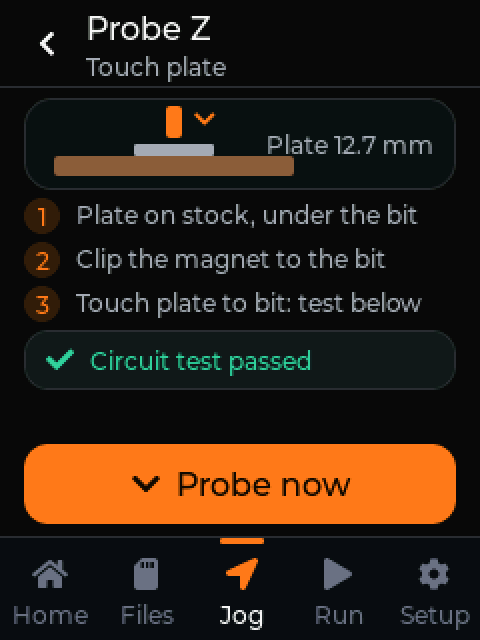
Zero with a touch plate
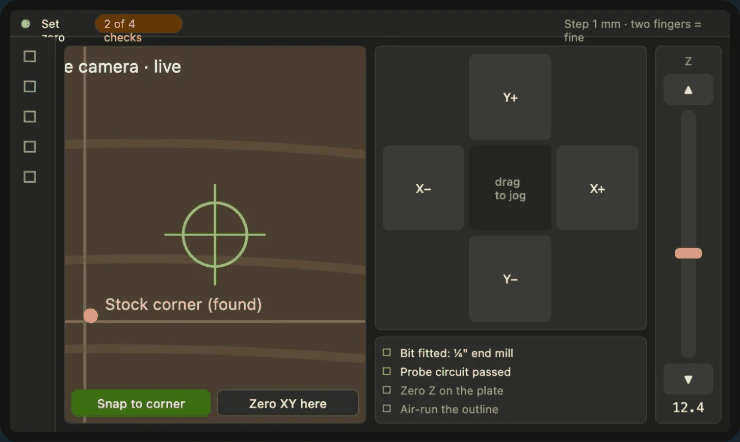
It walks you through the plate, the magnet and a circuit test, then probes. No guessing at Z.
Leave the laptop in the house.
A 2.8" touchscreen that plugs into your machine's USB port and runs your WebCAM jobs right at the machine. Design at your desk. Cut in the garage.
Controller news and first-batch updates. We'll ask you to confirm, and every email has a link to leave.
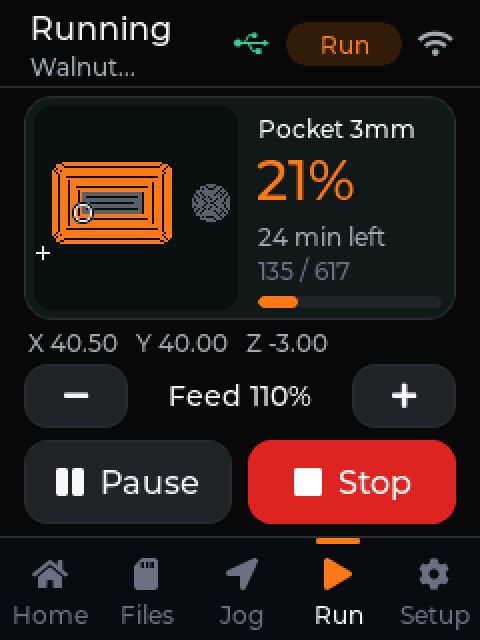
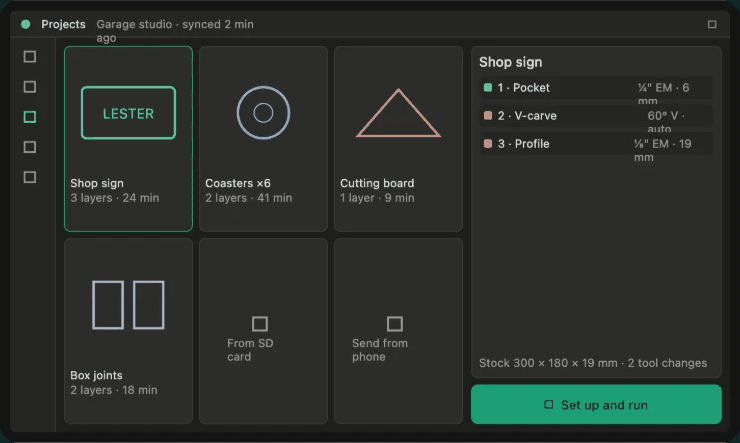
Today you design in WebCAM, export G-code, carry a laptop out to the machine, open a sender, load the file, zero, and hope you picked the right bit. With the controller, your jobs show up on the screen. You pick one, zero it, and press start.
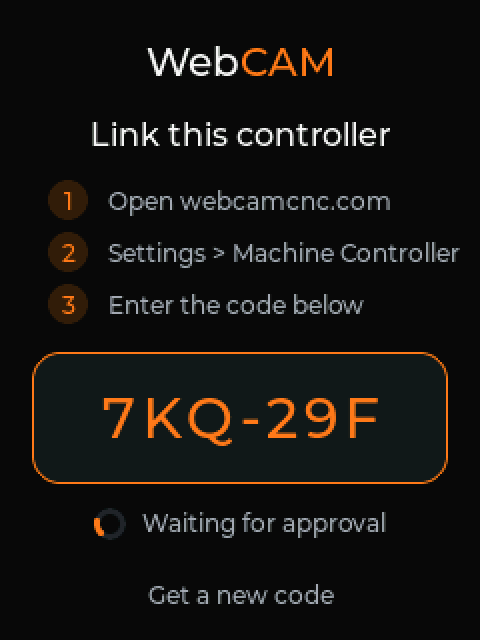
Set up once
Plug it into your machine's USB port.
It talks to GRBL 1.1 boards, including the CH340 chip on most 3018 and 4040 machines.
Put it on your Wi-Fi from your phone.
The screen tells you how.
Type the code it shows into WebCAM.
Done. It knows your machines and your jobs.
At the machine
It walks you through the plate, the magnet and a circuit test, then probes. No guessing at Z.
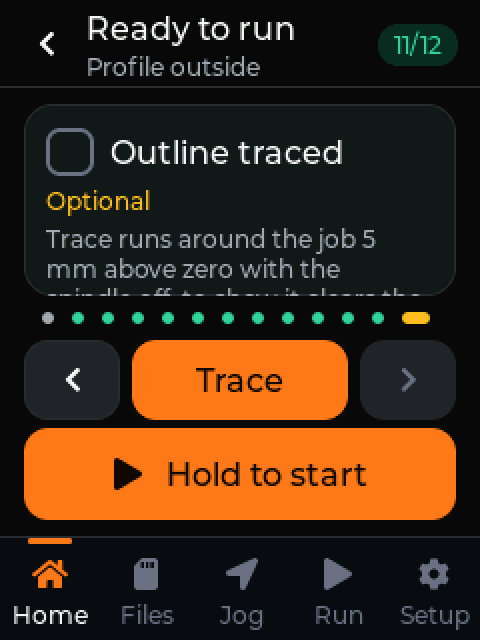
Right machine, zero set, bit loaded, outline traced. Then you hold to start, so a bumped screen never starts a job.
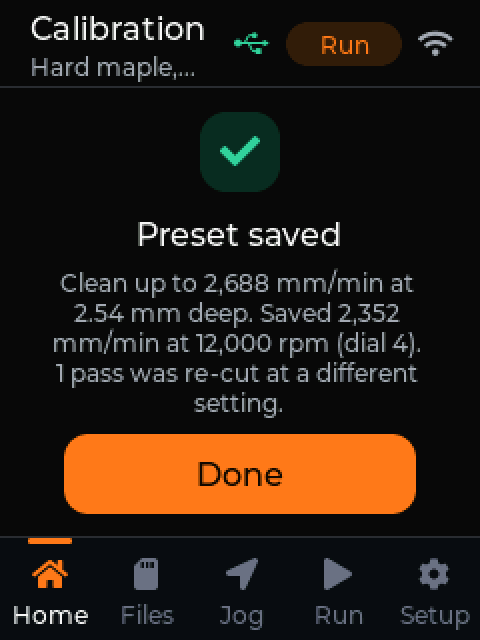
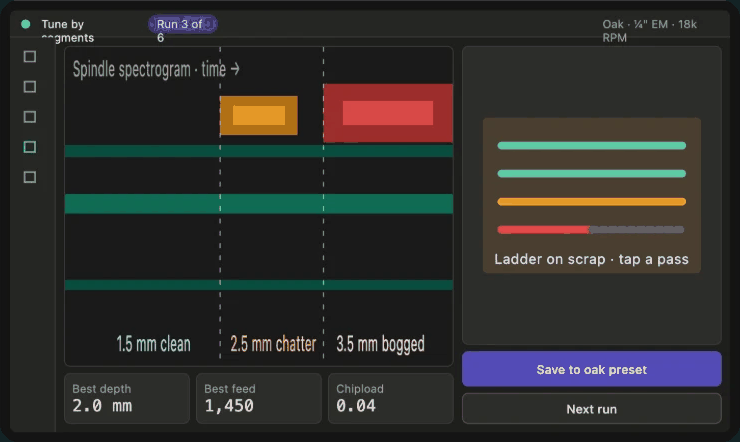
It cuts a short test on scrap, feels the vibration of each pass, and saves the fastest clean feed for that bit and material.
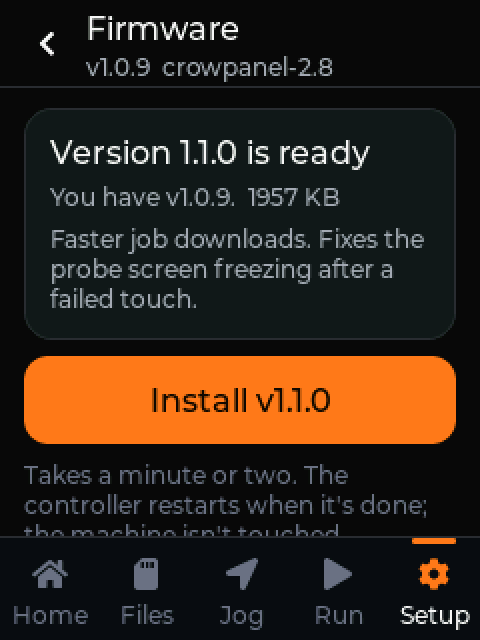
New firmware shows up on the screen. Two taps to install. If an update ever fails to start, it rolls back on its own.
While a job runs, its progress, time left and position show up live in WebCAM on your phone or computer. You'll know it finished, or stopped, without walking out to check.
What's in the box
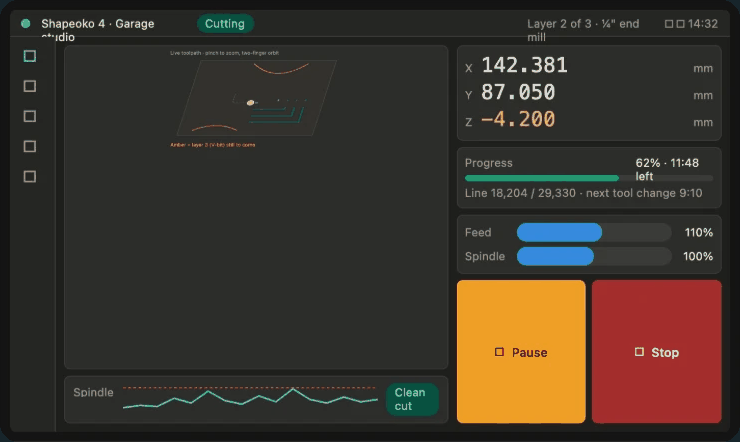
Same idea, on a bigger screen and a faster board. These are design concepts, not photos. If enough people want it, it's next on the bench.
Runs on WebCAM
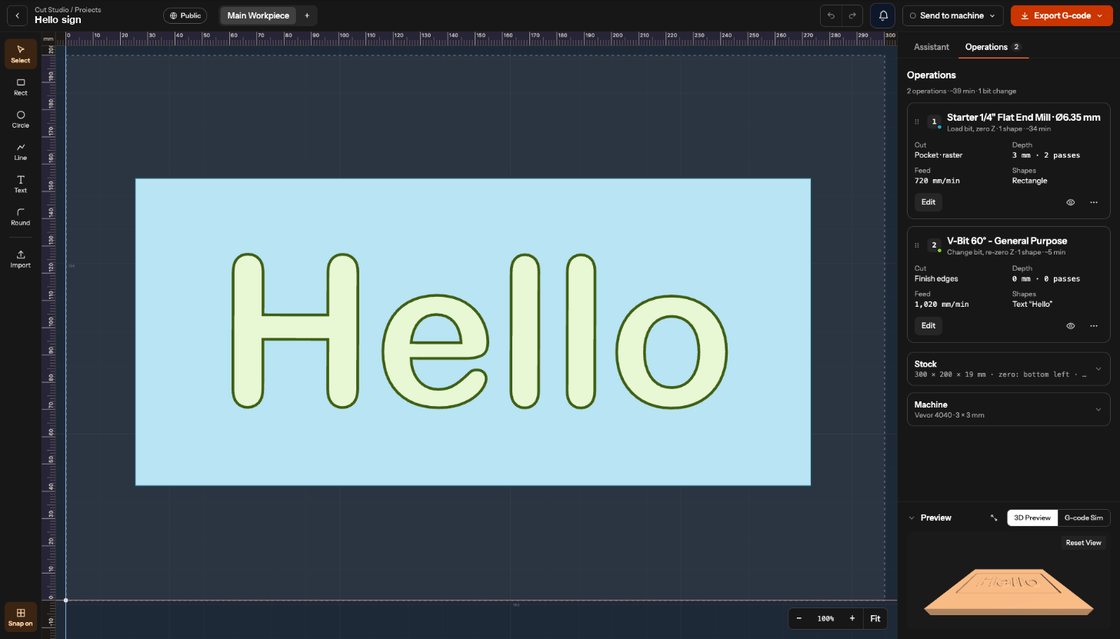
The controller runs the jobs you plan in WebCAM's studios. Cut Studio picks a bit per shape and plans the bit changes; Burn Studio handles diode lasers with test grids and live burn previews.
Sending jobs to the controller and calibration are part of WebCAM Pro. Founders get Pro for $49 a year, locked for life, while spots last.
Machines with a GRBL 1.1 board that connect over USB, including the CH340 boards on most 3018 and 4040 routers. If you run something else, join the waitlist and reply to the confirmation to tell us what it is. That decides which boards we support next.
Yes. The controller pairs with your WebCAM account and runs the jobs you design there. Sending jobs to it and bit calibration are part of WebCAM Pro.
Yes. The controller has a microSD slot, so you can run G-code files from a card when the Wi-Fi is down.
We're planning the first batch now and haven't set a price yet. Join the waitlist and you'll hear first, before anyone else can order.
A 7" version with a faster board and a live camera for zeroing is a design concept for now. If enough people want it, it is next on the bench.
We're planning the first batch now. Join the waitlist and you'll hear before anyone else can order.
Controller news and first-batch updates. We'll ask you to confirm, and every email has a link to leave.